How to Upload a Profile Picture
- Go to Imgur.
-
Click on New Post.

- Upload one image.
- Right-click directly on the image.
-
Click Copy Image Address.
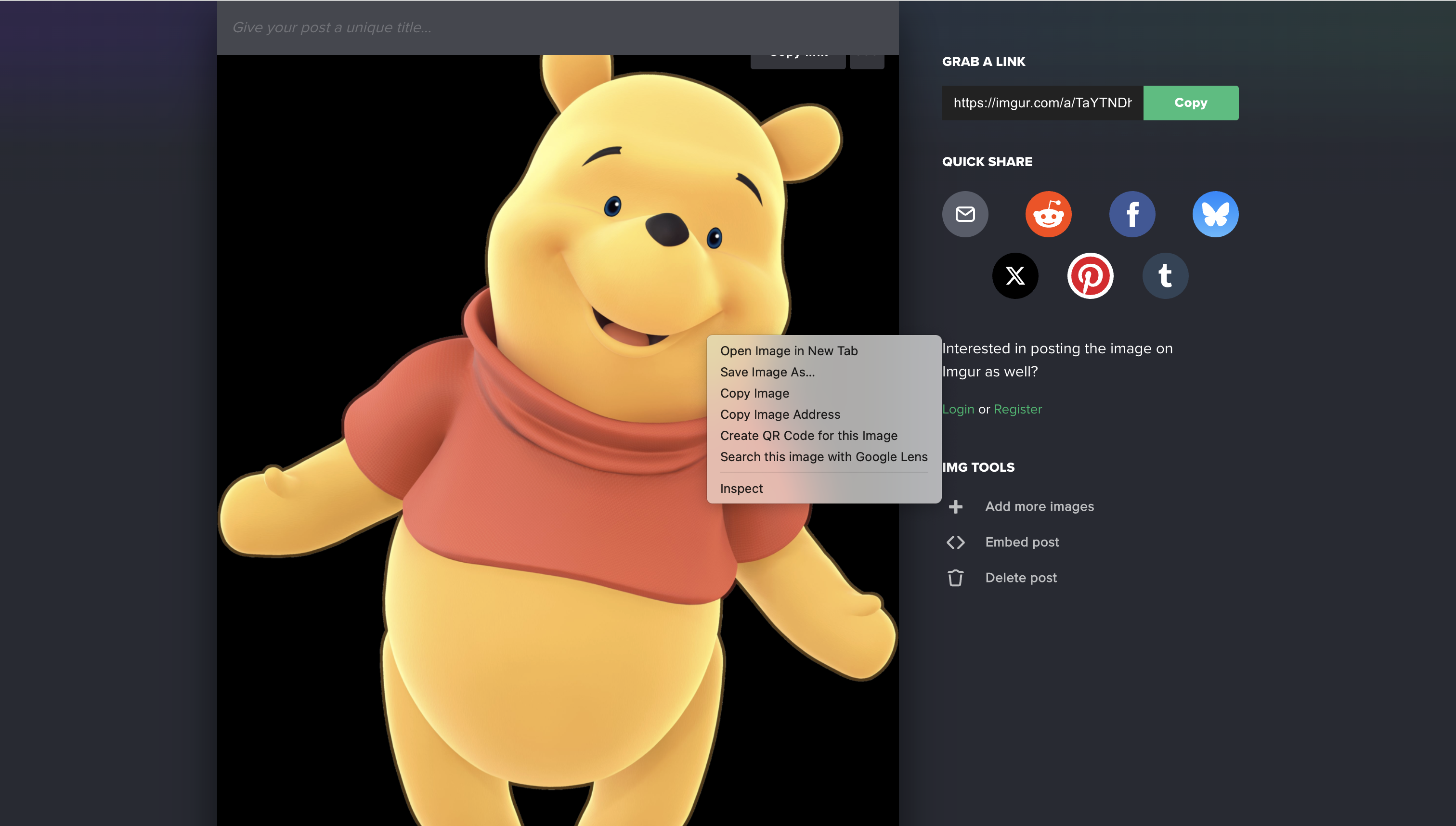
- Paste the copied image link into the Profile Picture URL box above.
Tip: The correct link usually starts with https://i.imgur.com/ and ends with .jpg, .png, or .webp.